
- TypeScript + React 기반 라이브러리 작성
- tsup으로 .js + .d.ts 빌드
- npm publish로 외부 배포
- 실제 사용 시:
- import { MyButton } from 'your-react-lib'
1단계: 프로젝트 초기화
mkdir your-react-lib
cd your-react-lib
bun init
선택 시 안내:
- entry: src/index.ts
- type: module
2단계: React + 개발 환경 설치
bun add react react-dom
bun add -D typescript @types/react @types/react-dom tsup
useState 등이 필요하면 추가
3단계: 파일 구조 생성
mkdir src
touch src/index.ts src/MyButton.tsx tsconfig.json
4단계: 컴포넌트 작성
src/color-utils.tsx
interface HexColor {
  r: number;
  g: number;
  b: number;
}

interface Luminance {
  L1: number;
  L2: number;
}

export const getColorUtils = () => {
  // HEX 변환 유틸리티 (3자리 → 6자리 변환)
  const expandHex = (hex: string): string => {
    if (hex.length === 3) {
      return hex
        .split('')
        .map((char) => char + char)
        .join('');
    }
    return hex;
  };

  // 휘도(luminance) 계산 함수
  const calculateLuminance = ({ r, g, b }: HexColor): number => {
    const srgbToLinear = (c: number): number => {
      c = c / 255.0;
      return c <= 0.04045 ? c / 12.92 : Math.pow((c + 0.055) / 1.055, 2.4);
    };

    const R = srgbToLinear(r);
    const G = srgbToLinear(g);
    const B = srgbToLinear(b);

    return 0.2126 * R + 0.7152 * G + 0.0722 * B;
  };

  // 명암 대비 계산 함수
  const contrastRatio = ({ L1, L2 }: Luminance): number => {
    return (L1 + 0.05) / (L2 + 0.05);
  };

  // 적절한 텍스트 색상을 결정하는 함수
  const getTextColor = ({ r, g, b }: HexColor) => {
    const bgLuminance = calculateLuminance({ r, g, b });
    const whiteLuminance = calculateLuminance({ r: 255, g: 255, b: 255 });
    const blackLuminance = calculateLuminance({ r: 0, g: 0, b: 0 });

    // 항상 더 밝은 색을 L1, 어두운 색을 L2로 설정
    const contrastWithWhite = contrastRatio({
      L1: Math.max(whiteLuminance, bgLuminance),
      L2: Math.min(whiteLuminance, bgLuminance),
    });
    const contrastWithBlack = contrastRatio({
      L1: Math.max(bgLuminance, blackLuminance),
      L2: Math.min(bgLuminance, blackLuminance),
    });

    // 올바르게 대비를 비교하고 높은 쪽 선택
    const resultColor =
      contrastWithWhite < contrastWithBlack ? 'Black' : 'White';
    return resultColor === 'White' ? '#fff' : '#000';
  };

  // 특정 HEX 색상에 대한 적절한 텍스트 색상 추천 함수
  const getTextColorForHex = (hexColor: string) => {
    // HEX -> RGB 변환
    let hex = hexColor.replace('#', '').toLowerCase();
    hex = expandHex(hex); // 3자리 HEX 확장

    const r = parseInt(hex.substring(0, 2), 16);
    const g = parseInt(hex.substring(2, 4), 16);
    const b = parseInt(hex.substring(4, 6), 16);

    return getTextColor({ r, g, b });
  };

  return { getTextColorForHex, getTextColor };
};
src/index.ts
// index.ts
export { getColorUtils } from './color-utils';
import 아니고 export!!
5단계: tsconfig.json 설정
bun init 시 아래와 같은 tsconfig.json 생성되는데, 이 아래 있는 tsconfig 사용
{
  "compilerOptions": {
    // Enable latest features
    "lib": ["ESNext", "DOM"],
    "target": "ESNext",
    "module": "ESNext",
    "moduleDetection": "force",
    "jsx": "react-jsx",
    // "allowJs": true, js 포함 할 때

    // Bundler mode
    "moduleResolution": "node",
    "verbatimModuleSyntax": true,
    // "moduleResolution": "bundler", 아직은 실험적임 node가 적합
    // "allowImportingTsExtensions": true,
    // "noEmit": true, 빌드 시 js 파일이 생성되지 않음

    // Best practices
    "strict": true,
    "skipLibCheck": true,
    "noFallthroughCasesInSwitch": true,

    // Some stricter flags (disabled by default)
    "noUnusedLocals": false,
    "noUnusedParameters": false,
    "noPropertyAccessFromIndexSignature": false,

    "outDir": "dist"
  },
  "include": ["src"]
}
{
"compilerOptions": {
"target": "ESNext",
"module": "ESNext",
"jsx": "react-jsx",
"strict": true,
"esModuleInterop": true,
"moduleResolution": "node",
"declaration": true,
"declarationDir": "dist",
"outDir": "dist",
"skipLibCheck": true
},
"include": ["src"]
}6단계: tsup 설정
package.json에 build 스크립트 추가
"scripts": {
  "build": "tsup src/index.ts --dts --format esm,cjs --out-dir dist"
}
- ESM + CJS 동시에 출력
- 타입 선언도 포함됨
7단계: package.json 설정 마무리
{
  "name": "use-hex-color",
  "version": "0.0.1",
  "type": "module",
  "main": "dist/index.js",
  "module": "dist/index.mjs",
  "types": "dist/index.d.ts",
  "scripts": {
    "build": "tsup src/index.ts --dts --format esm,cjs --out-dir dist"
  },
  "exports": {
    ".": {
      "require": "./dist/index.js",
      "import": "./dist/index.mjs",
      "types": "./dist/index.d.ts"
    }
  },
  "files": [
    "dist"
  ],
  "keywords": [
    "color",
    "hex",
    "contrast",
    "utils",
    "accessibility"
  ],
  "repository": {
    "type": "git",
    "url": "https://github.com/mors119/get-color-utils"
  },
  "author": "morsKim",
  "license": "MIT"
}
React에 의존한다면 아래 추가
  "peerDependencies": {
    "react": "^18.0.0",
    "react-dom": "^18.0.0"
  },
8단계: 빌드 및 확인
bun run build
결과:
dist/
├── index.js        (CJS)
├── index.mjs       (ESM)
├── index.d.ts      (타입 정의)
9단계: 배포 전 준비
- .npmignore 없이 "files": ["dist"] 설정되어 있음
- README.md 작성 (최소한 설명 포함)
- npm login (계정 없으면 npmjs.com에서 생성)
10단계: npm 배포
npm version patch
npm publish
npm version patch # 버전 1.0.0 → 1.0.1
npm publish --access public--access public은 scoped package (@yourname/your-react-lib)일 경우 필수
오픈 소스로 관리하기
1. Git 초기화
git init
git add .
git commit -m "init: publish get-color-utils"
2. GitHub 새 저장소 생성
3. 원격 저장소 연결
git remote add origin https://github.com/yourname/get-color-utils.git
git branch -M main
git push -u origin main
package.json에 GitHub URL 연결
지금처럼 잘 되어 있어야 함:
"repository": {
  "type": "git",
  "url": "https://github.com/mors119/get-color-utils"
}
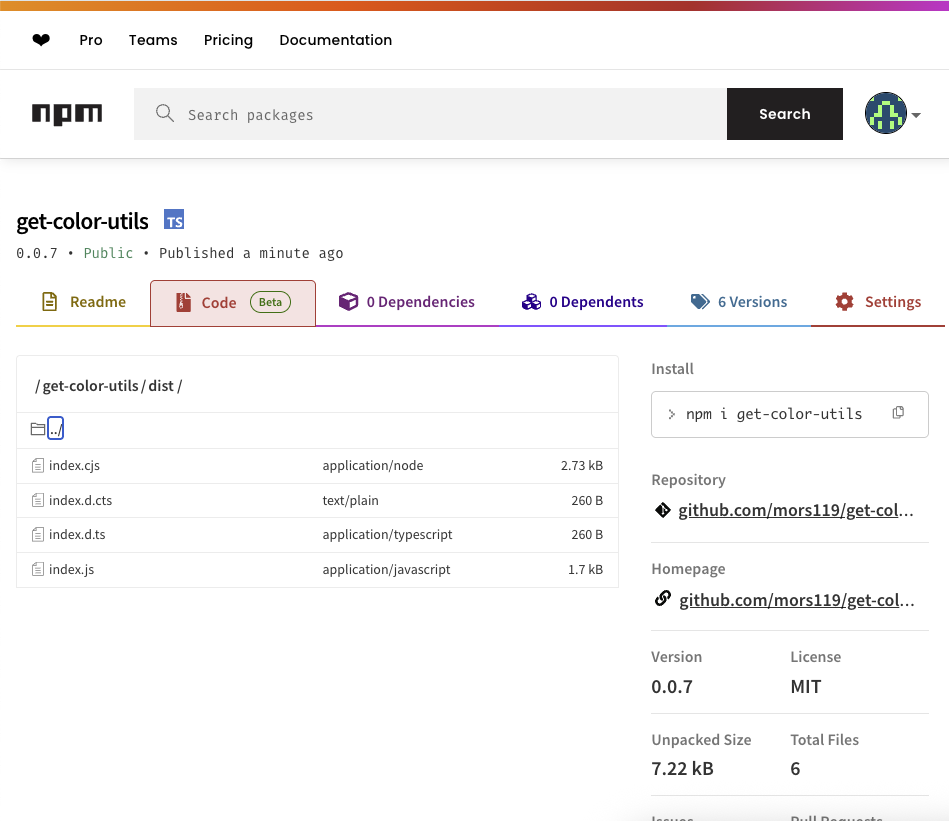
→ 이렇게 하면 npm 페이지에서 자동으로 GitHub 링크됨
11단계: 테스트 프로젝트에서 사용해보기
npm install your-react-lib
import { getColorUtils } from 'color-utils';'JavaScript > React' 카테고리의 다른 글
| Tiptap Editor (7) | 2025.06.26 |
|---|---|
| 파일 네이밍 컨벤션(File Naming Convention) - React Feature Folder (1) | 2025.06.14 |
| template 자동화 (0) | 2025.06.12 |
| 다국어 라이브러리 react-i18next (1) | 2025.06.09 |
| 상태 관리 라이브러리 valtio (0) | 2025.06.09 |