
클립보드 공유
UTM 설정
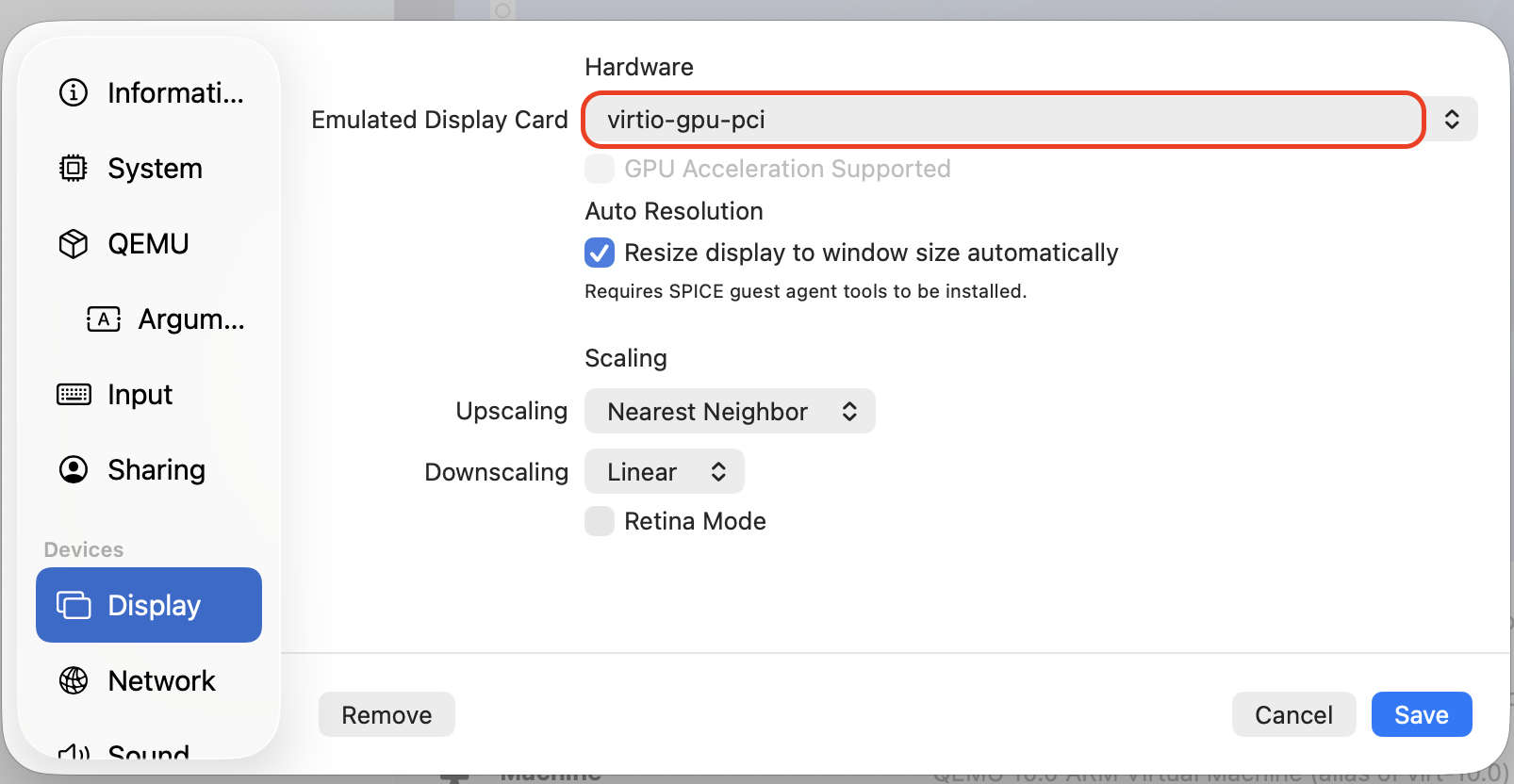
- virtio-gpu-gl ← 최고
- virtio-gpu ← 안정
- virtio-ramfb ← 아마도 현재
Upscaling - "Linear" / Retina Mode 체크 설정하면 좋다지만 하는데 스팩이 좋지 않으면 VM이 튕김.
패키지 설치
# 업데이트
sudo apt update
sudo apt full-upgrade

# 패키지 설치
sudo apt install spice-vdagent qemu-guest-agent

# 실행
sudo systemctl enable spice-vdagent
sudo systemctl start spice-vdagent

sudo systemctl enable qemu-guest-agent
sudo systemctl start qemu-guest-agent
Mac과 동일해지도록 Kali 키보드 설정
mac처럼 쓰기 위해 ctrl과 command 키 교환
setxkbmap -option ctrl:swap_lwin_lctlkey보드 시스템 변경 및 로그인 시 위 명령어 자동 실행
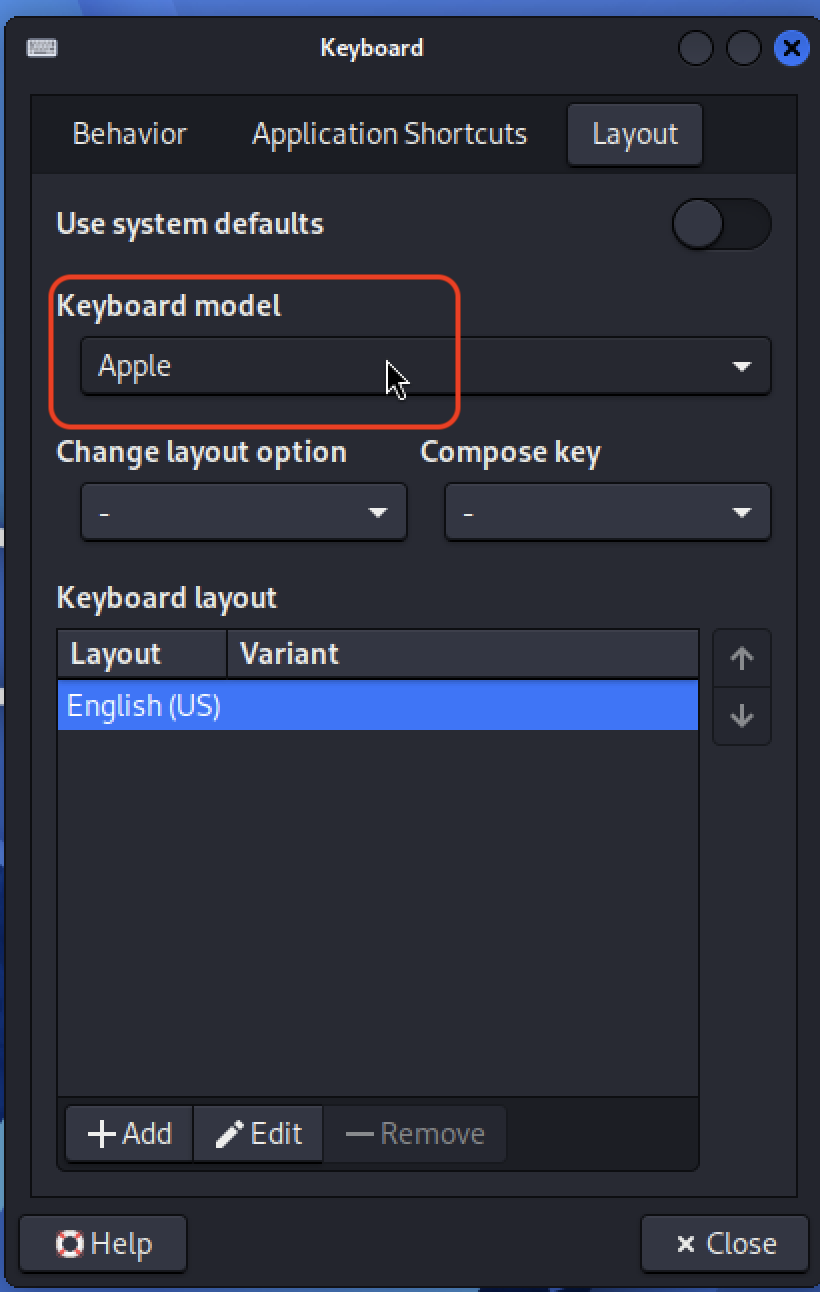

Name과 Description은 원하는 대로 적고, command에
setxkbmap -option ctrl:swap_lwin_lctl명령어만 잘 입력하고 Trigger를 "on login"으로 하면 된다.
Mac과 동일한 Scroll 설정
터치패드 또는 마우스 이름 출력
xinput list만약에 xinput 없다면 아래 명령어로 설치
sudo apt install xinput디바이스 아이디 10에 리버스 스크롤 추가
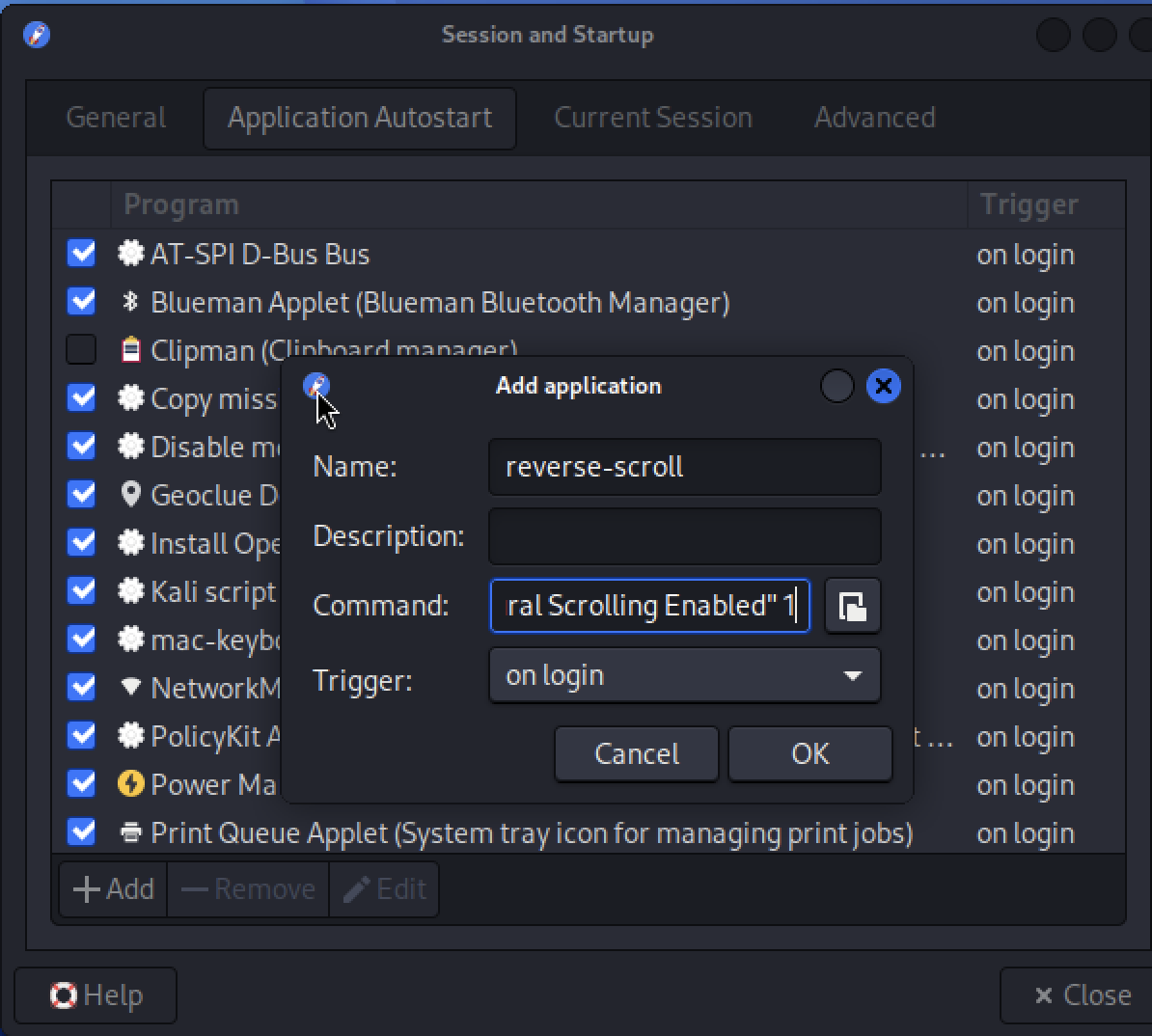
xinput set-prop 10 "libinput Natural Scrolling Enabled" 1적용 확인
xinput list-props 10명령어 복사해서 Sesstion and Startup > Application Autostart에 (디바이스 아이디 10에 리버스 스크롤 추가 명령어)추가
'Security > etc' 카테고리의 다른 글
| Mac에서 Burp Suite 사용 설정과 natas4 풀어보기 (0) | 2026.03.16 |
|---|---|
| tryhackme.com에서 nmap 사용하기 (0) | 2026.03.14 |
| UTM으로 Mac에서 Kali-linux 사용하기 (0) | 2026.03.14 |
| 가상화 소프트웨어 (0) | 2026.03.14 |
| KVM, VM과 Container (0) | 2026.03.14 |


